Log in


Writes and sends
Personalized emails and texts, on your schedule.
NEW AI ACCOUNTS RECEIVABLE FOR CONTRACTORS AI AR FOR CONTRACTORS
BUILT FOR
General contractors Subcontractors Roofers Specialty trades Restoration
INVOICE #4190
PAID$12,413.99


AI is chasing 24 accounts






Helping 3,200+ Contractor Users Collect Payments Faster
THE PROBLEM
Every invoice past 30 days is money you’ve already earned, sitting in someone else’s bank account.
Behind each one is a follow-up somebody has to remember: the email, the text, the call, the voicemail, the deductible. Then again next week.
When the office gets busy, follow-up slips. When follow-up slips, cash flow slips.
“Did they ever get the invoice?”
“Who’s calling them this week?”
“Didn’t we already send that reminder?”

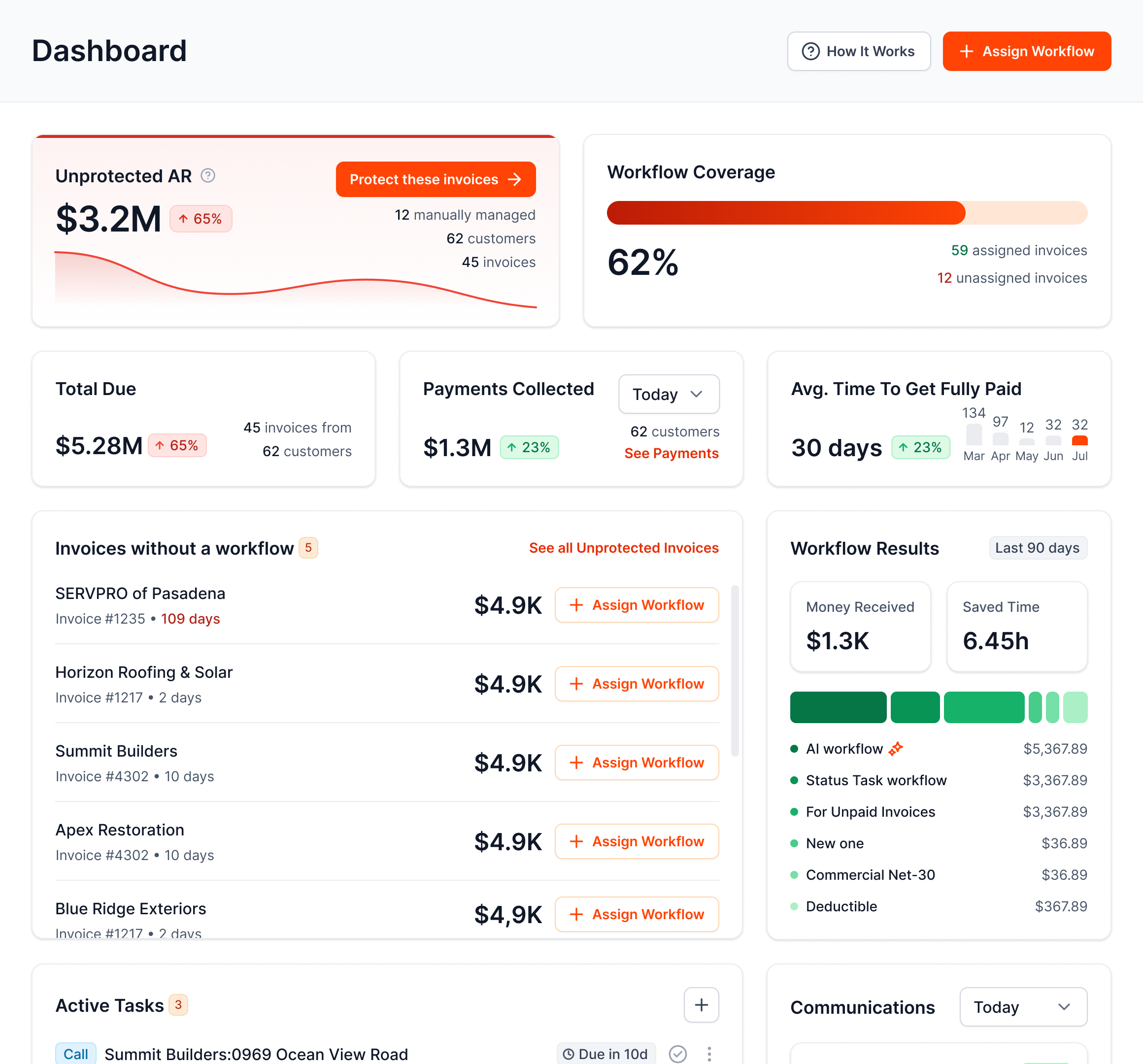

AR Workflow puts AI on the follow-up, so it never slips.
WHAT AI DOES

Personalized emails and texts, on your schedule.

ONLY ON AR WORKFLOW
Routine reminders delivered without anyone dialing.
 0:24
0:24When customers respond, AI drafts the answer. Your team approves it.
Disputes, missed promises, and accounts that need a call rise to the top.
 Disputed balanceHigh
 Payment promise missedCall today
 Invoice copy requestedReply ready
Every message can include an ACH or card payment link.
Amount due$12,413.99
Pay now
Invoices and balances stay current. No double entry.
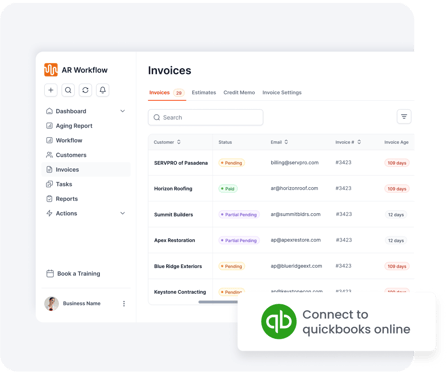
Automated voicemail delivery is not a live AI phone conversation. Payments powered by Finix; merchant approval required.

HOW IT WORKS

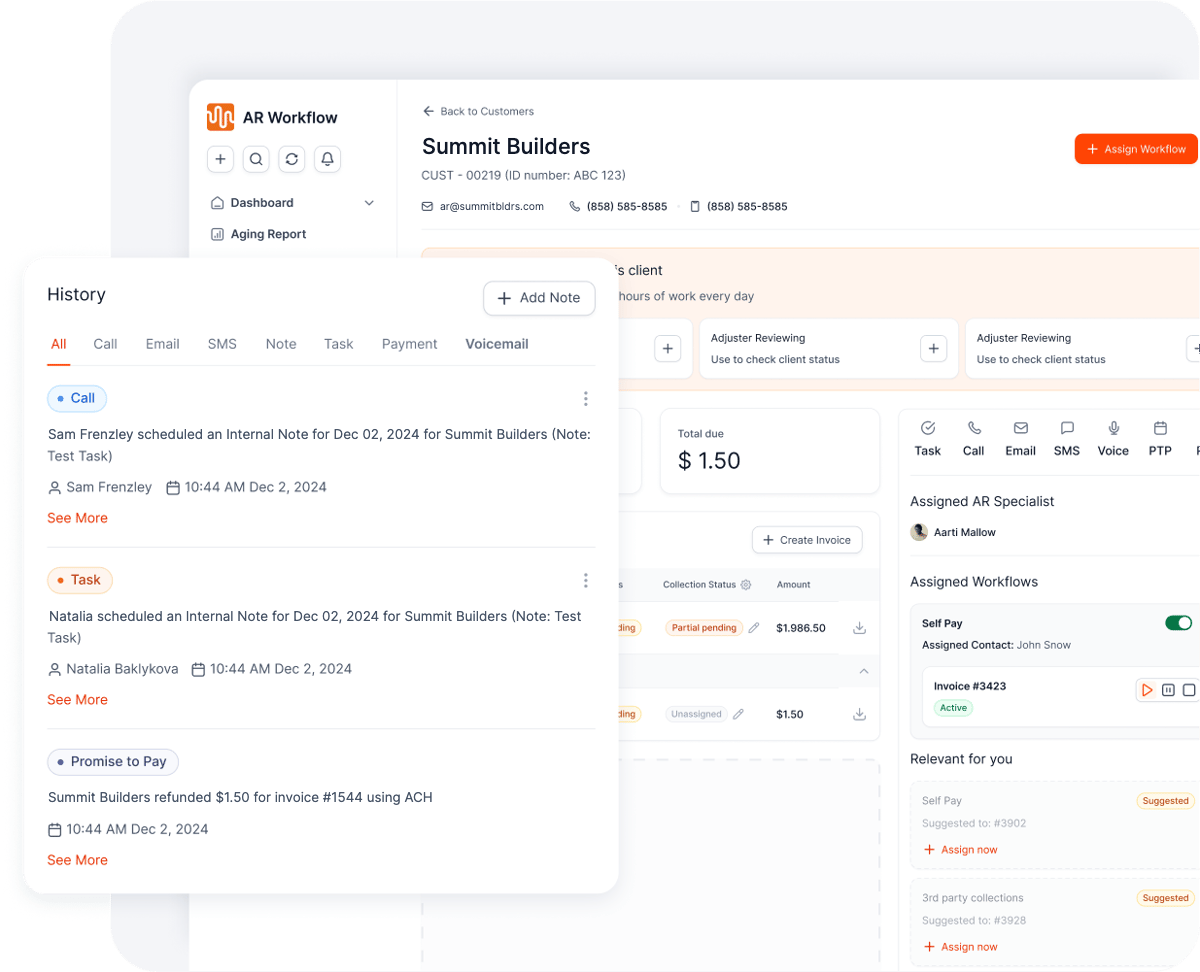
Your open invoices come in automatically.
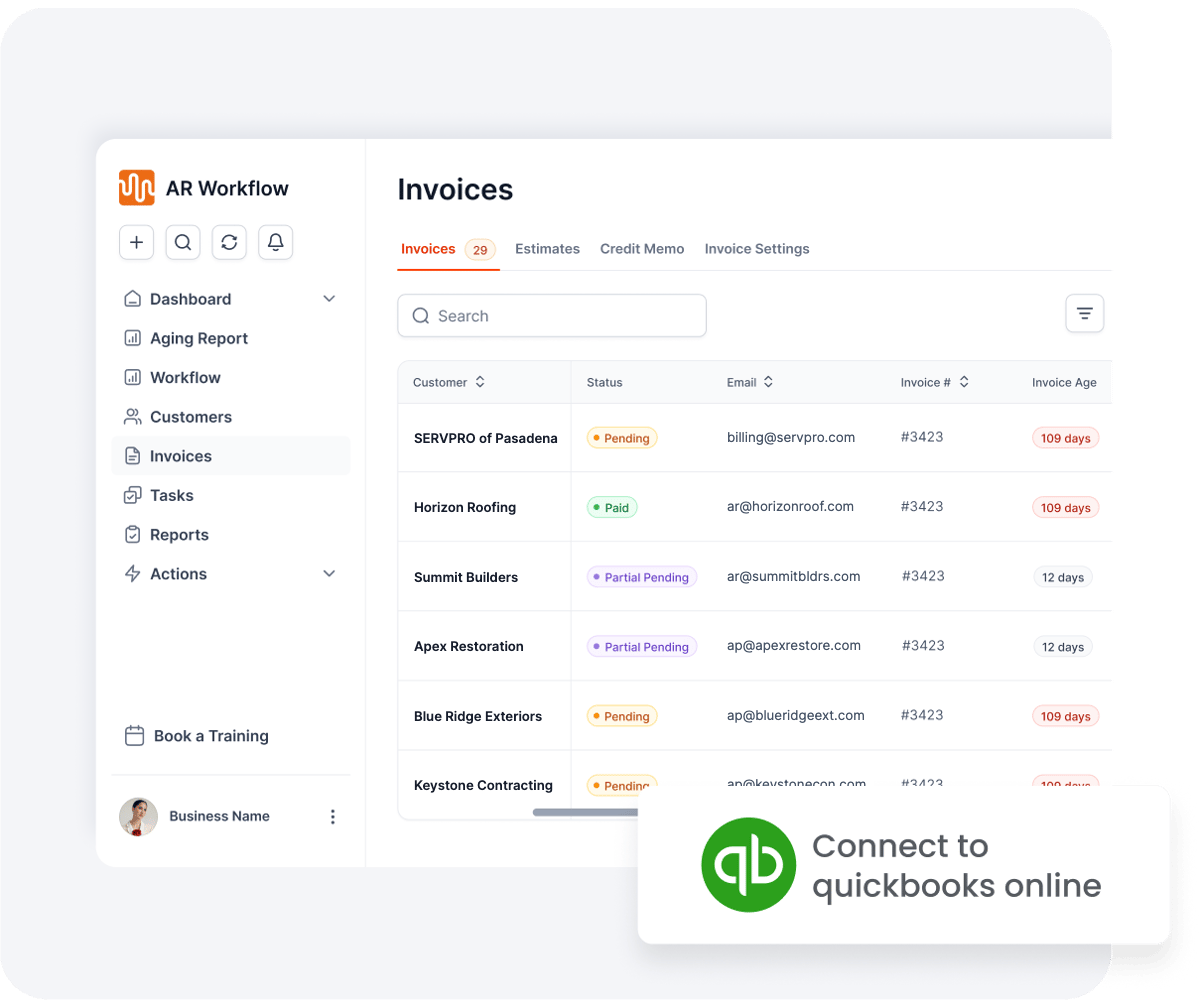
Choose the invoices, channels, tone, and how often customers hear from you.
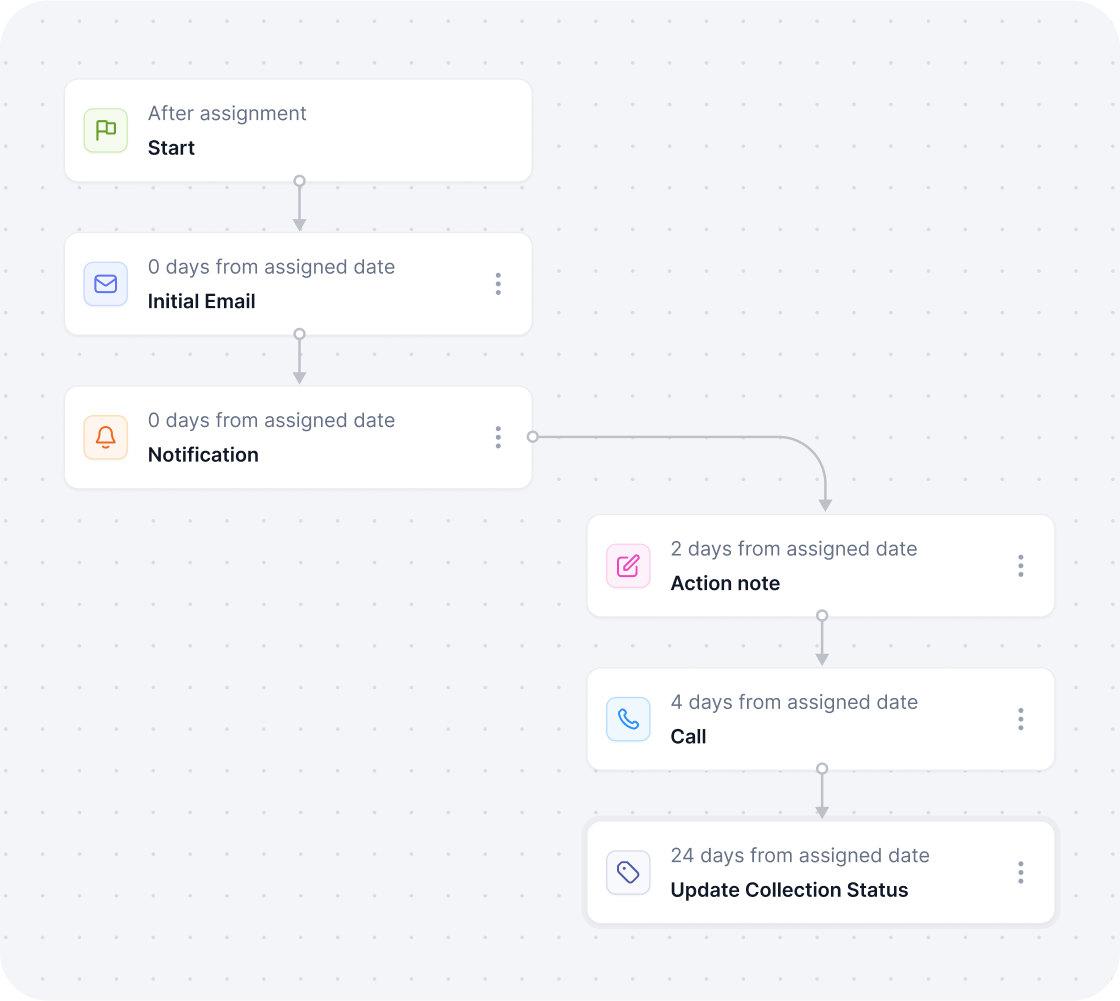
AI handles the routine. Your team handles the exceptions.
 Works with QuickBooks Online
 Payments powered by Finix
 Start with one invoice

FOLLOW ONE INVOICE
DAY 1
Subject
Invoice #4190 · Jefferson property
Hi Dana, thanks again for choosing us. Your invoice is attached, and you can pay online in a minute.
Pay $12,413.99
AI sends the invoice with a payment link
DAY 5
Hi Dana, friendly reminder that invoice #4190 is still open. Pay securely here: pay.link/4190
Sent by AI
A short reminder, on your schedule
DAY 9
NEW VOICEMAIL

“Hi Dana, this is a quick reminder about invoice 4190. The payment link is in your texts and email.”
No one on your team had to dial
REPLY
Can you resend the invoice? I want to pay today.
AI DRAFT
Of course, Dana. Invoice #4190 is attached with your payment link.
Approve
AI drafts the answer. Your team approves it.
DAY 10

Payment received
$12,413.99
Synced to QuickBooks
ACH payment, synced to QuickBooks
ONE SCREEN, EVERY MORNING

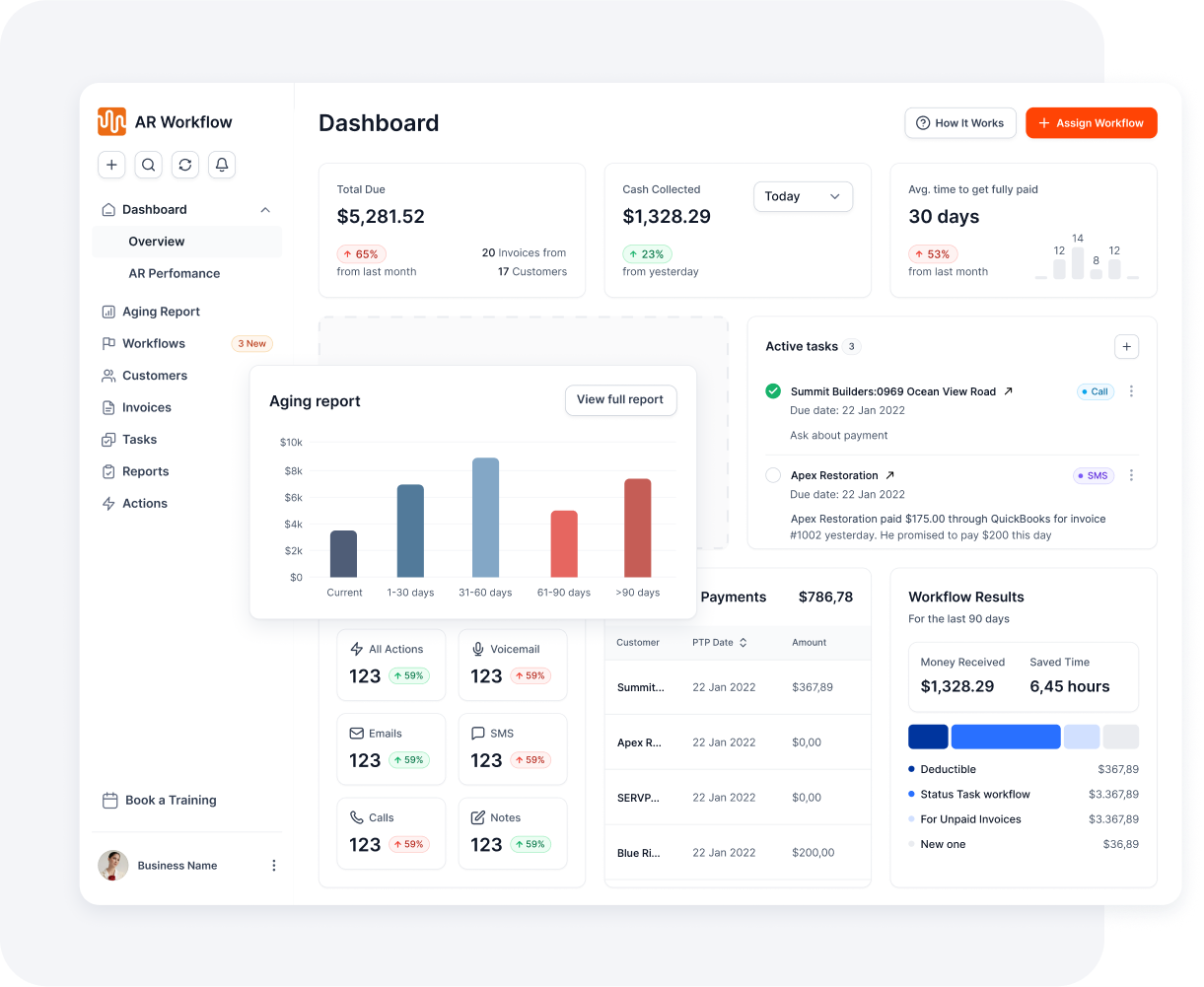
 AI IS CHASING
$186,420
 12 emails sent today7 texts sent today4 voicemails delivered
NEEDS YOU
WHY AR WORKFLOW
THE USUAL FIX
THE CATCH
One channel, one generic message. Easy to ignore.
THE USUAL FIX
THE CATCH
Takes a cut of money you earned, and can cost you the next job.
THE USUAL FIX
THE CATCH
Salary and training, and follow-up still depends on one person remembering.

 THE FIX
AR WORKFLOW
THE DIFFERENCE
Personalized follow-up by email, text, and voicemail, every day, with your team in control.
SIDE BY SIDE How the usual fixes compare |
 Reminder emails Reminder emails |
 Collection agency Collection agency |
 Another AR hire Another AR hire |
RECOMMENDED |
|---|---|---|---|---|
| Email, text, and voicemail | Email only | Their channels | If they remember |  Yes Yes |
| Personalized, not generic |
 No No
|
No
|
 Yes Yes
|
Yes |
| You keep every dollar you earned |
Yes
|
They take a cut | Plus a salary | Yes |
| Protects the next job |
Yes
|
No
|
Yes
|
Yes |
| Doesn’t depend on one person remembering |
Yes
|
Yes
|
No
|
Yes |
| Your team stays in control |
Yes
|
No
|
Yes
|
Yes |
Get a demo

| ||||


BUILT FOR CONTRACTORS
Persistent doesn’t have to mean aggressive.

Clear, professional, persistent.

Friendly, never like a collection agency.

Job context across multiple properties.

Consistent through long payment cycles.

Carrier payments, supplements, and deductibles.

Well-timed reminders that protect the relationship.
YOU’RE IN CONTROL
Less manual work. Not less control.
Start with one invoice and add more when you’re ready

Choose the contacts, channels, tone, and frequency
Review AI-drafted replies before they’re sent
Pause or stop any workflow at any time
 Pause
Pause
CUSTOMER STORIES







YOUR INVOICE, NOT A FEATURE TOUR
No generic feature tour. You’ll see:
YOUR OVERDUE INVOICE
47 days past due[$ AMOUNT]
 Tomorrow, 9:00 AMEmail
 Day 4Text
 Day 8Voicemail
Customer pays by ACH or card

Paid in full
Synced to QuickBooks


Yes. AI sends scheduled emails, texts, and voicemails for the invoices you choose. Replies to customers are reviewed by your team first.
You choose the tone, channels, and follow-up schedule. When a customer replies, AI drafts a response for your team to review and approve. Your team handles conversations that need a personal touch.
No. Keep using QuickBooks for your accounting. AR Workflow connects to it so invoice balances and payment information stay current without double entry.
Your team can still call when a customer needs a real conversation. AI handles routine reminders, including delivered voicemails, so you spend less time dialing. Voicemail delivery is not a live AI phone conversation.
Automated outreach must follow applicable consent, opt-out, and messaging rules. Requirements vary by channel and location. Your business is responsible for using the right permissions and settings for its customers. Learn more from the FCC.
Getting started means connecting QuickBooks, choosing your invoices, and setting your follow-up rules. Setup time depends on your needs; our team can help you get your first workflow running and show you how to manage it.
Yes. Start with one invoice or a small group of customers. Choose the schedule and channels, see how the workflow performs, and add more invoices when you are ready.

AI writes the emails, sends the texts, and leaves the voicemails. Your team handles the conversations that matter, and your cash keeps moving.
 Keep QuickBooksStart TodayStay in Control